

Google has officially begun rolling out Android 16, with supported Pixel devices receiving the update first. Devices from other phone brands are expected to follow later in the year. Notably, this marks the earliest release for a major Android version in recent years, allowing users to benefit from the latest features and enhancements sooner than ever.
At its core, Android 16 introduces the foundation for the new Material 3 Expressive design language, focusing on greater accessibility and usability across the platform.
Smarter, Real-Time Notifications
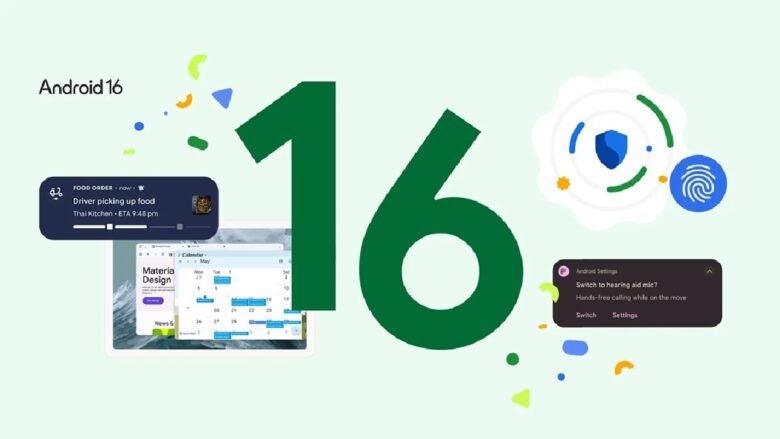
Android 16 brings live notification updates to compatible ride-share and food delivery apps, eliminating the need for users to constantly check the app for updates. These real-time notifications are also being integrated into partner ecosystems like Samsung’s Now Bar and the Live Alerts systems used by OPPO and OnePlus.
To reduce information overload, Android 16 automatically groups notifications from the same app into a single thread, keeping the notification panel more organized and efficient.
Improved Hearing Aid Support for Calls
The update introduces critical audio enhancements for users with LE (Low Energy) audio hearing devices. Previously, these devices relied solely on their built-in microphones, which often captured ambient noise rather than the user’s voice. With Android 16, users can now switch to their phone’s microphone, allowing for clearer call quality in noisy environments.
Additionally, Android 16 includes native hearing device controls directly within the operating system. Users can now adjust volume levels and switch presets from their phone without relying on a third-party app, creating a more consistent and streamlined experience.
Enhanced Security with Advanced Protection
Android 16 brings one-tap activation of Google’s Advanced Protection, the most comprehensive mobile security offering from the company to date. This feature safeguards users against malicious apps, scam calls, unsafe websites, and other cyber threats. Whether users are high-profile individuals or simply security-conscious, they can now enjoy stronger protection with minimal effort.
Desktop-Style Productivity on Tablets
In collaboration with Samsung, Android 16 introduces desktop windowing, a new approach to multitasking on large-screen devices. Users can open, move, and resize multiple apps within a single screen, mimicking a desktop computing experience. This complements existing single-app and split-screen modes.
Later in the year, Android 16 will also offer customizable keyboard shortcuts and taskbar overflow options to improve productivity even further. Future updates will expand support for external displays, allowing users to experience an enhanced desktop-like interface when connecting phones or tablets.
More to Come
Android 16 also includes additional enhancements such as HDR screenshots, adaptive refresh rate, and advanced identity verification. Users on Pixel devices can expect more updates throughout the year, including expanded Material 3 Expressive elements and new features for Wear OS 6.